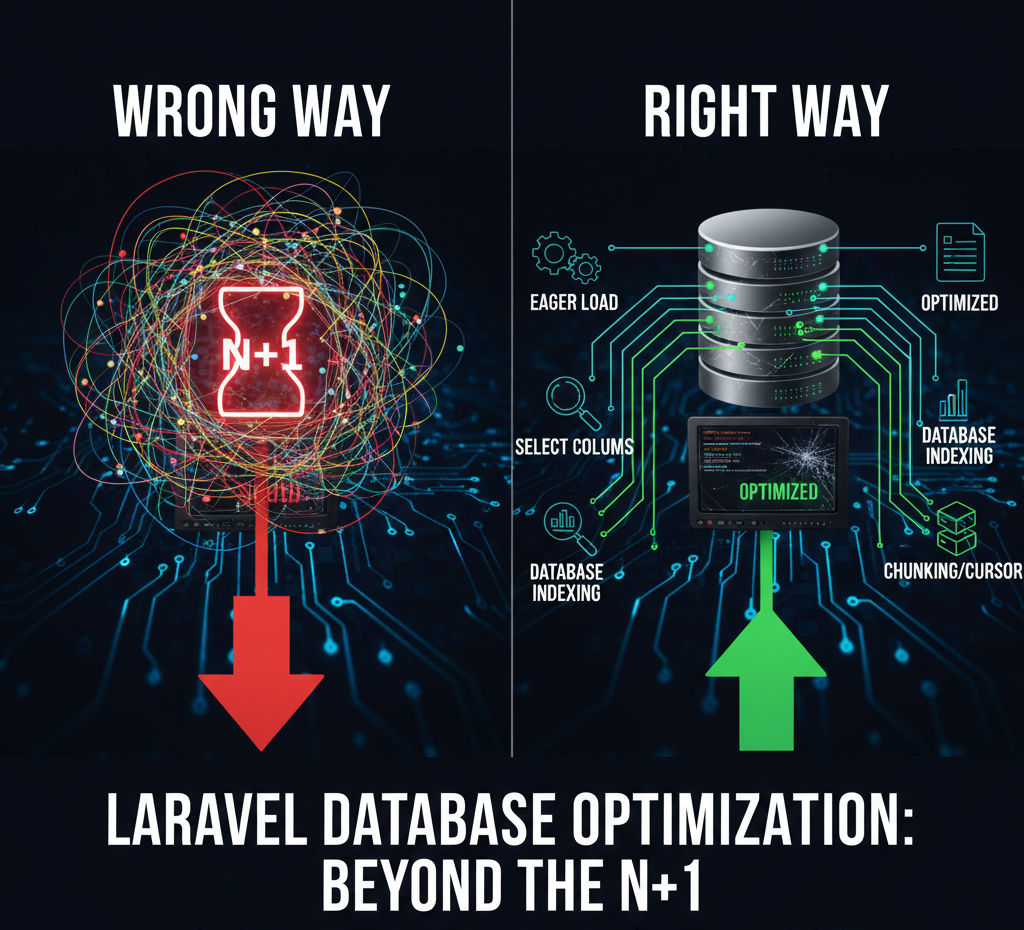
Nothing kills user trust faster than a slow application. You can have the most beautiful UI, the most compelling value proposition, and a brilliant onboarding flow — but if your pages take four seconds to load, users will leave. And nine times out of ten, slowness in Laravel comes down to database queries.
This guide is for developers who've gone beyond tutorials and are shipping real Laravel applications to real users. We're going to cover the most impactful query optimization techniques — from eliminating the N+1 problem to strategic indexing — with real code examples you can apply today.
The N+1 Query Problem: Laravel's Biggest Performance Trap
If you've been writing Laravel for more than a few months, you've probably created an N+1 problem without realizing it. It's the most common performance issue in Eloquent-based applications, and it's responsible for turning simple page loads into database massacres.
Here's a classic example: you have 100 users, and you want to display each user's latest order.
// The N+1 disaster — DON'T do this
$users = User::all(); // 1 query
foreach ($users as $user) {
echo $user->latestOrder->total; // 1 query per user = 100 extra queries
}
// Result: 101 queries for 100 users. At 1000 users? 1001 queries.
N+1 Problem Warning This pattern scales catastrophically. At 1,000 users you make 1,001 queries. At 10,000 users, you make 10,001 queries. Your database grinds to a halt and your users abandon your app. |
The fix is eager loading with the with() method:
// The correct approach — eager loading
$users = User::with('latestOrder')->get(); // 2 queries total, always
foreach ($users as $user) {
echo $user->latestOrder->total; // No additional queries — data already loaded
}

// Result: 2 queries for ANY number of users. That's the power of eager loading.
Detecting N+1 Problems Automatically
Don't rely on code reviews to catch N+1 problems. Use Laravel's built-in tools to detect them automatically during development.
// In AppServiceProvider::boot()
if (app()->environment('local')) {
       Model ::preventLazyLoading();
}

// Now any N+1 query will throw an exception in development

// This forces you to use eager loading proactively
Better yet, install Laravel Debugbar or use Telescope to see every query being executed on every page request during development.
Selecting Only What You Need
When you call User::all(), Eloquent fetches every column from the users table — including profile pictures, long biography fields, JSON columns, and anything else you've stored. If you only need names and email addresses, you're pulling megabytes of unnecessary data from your database.
// Bad: fetches ALL columns including large ones you don't need

$users = User::all();

// Good: fetch only what you actually display

$users = User::select('id', 'name', 'email', 'created_at')->get();
// Also good for relationships
$users = User::with(['orders' => function ($query) {
     $query->select('id', 'user_id', 'total', 'status');
}])->select('id', 'name', 'email')->get();
Performance Tip Always include the foreign key (user_id in this case) when eager loading with selected columns — otherwise Eloquent can't match the related records to their parents and your relationships will return empty. |
Database Indexing: The Most Overlooked Optimization
You can write perfectly optimized Eloquent code and still have slow queries if your database tables aren't properly indexed. Indexes tell your database engine where to find rows without scanning the entire table.
Think of it this way: finding a word in a book without an index means reading every page. With an index, you jump directly to the right page. At scale, the difference is measured in seconds.
// Add indexes in your migrations
Schema::create('orders', function (Blueprint $table) {
      $table->id();
      $table->foreignId('user_id')->constrained(); // Creates   index automatically
      $table->string('status');
      $table->decimal('total', 10, 2);
      $table->timestamps();
// Add indexes for columns you filter or sort by frequently
      $table->index('status');

      $table->index('created_at');
      $table->index(['user_id', 'status']); // Composite index for common queries

});
When to Add an Index
Not every column needs an index. Over-indexing slows down INSERT, UPDATE, and DELETE operations because the database has to update all indexes on every write. Add indexes when:
• The column appears in WHERE clauses of frequent queries
• The column is used in ORDER BY clauses on large datasets
• The column is a foreign key (Laravel adds these automatically with constrained())
• You're doing range queries on the column (dates, prices)
Chunking and Cursor for Large Datasets
When you need to process thousands or millions of records — for reports, data exports, or batch operations — loading everything into memory at once will crash your application. Laravel provides chunking and cursors to handle large datasets safely.
// Bad: loads 50,000 records into memory at once
$orders = Order::where('status', 'pending')->get();
// Good: chunk() — processes 500 records at a time in separate queries

Order::where('status', 'pending')->chunk(500, function ($orders) {
   foreach ($orders as $order) {
       ProcessOrder::dispatch($order);
   }
});

// Better for read-only: cursor() uses a PHP generator
// Keeps only ONE record in memory at a time

foreach (Order::where('status', 'pending')->cursor() as $order) {
    ProcessOrder::dispatch($order);
}
Memory Usage Comparison For 100,000 records: get() uses ~400MB of RAM. chunk(500) peaks at ~2MB per batch. cursor() uses ~1MB throughout the entire operation. Choose wisely when processing large datasets. |
Caching Queries to Reduce Database Load
Some data changes infrequently but is queried constantly — product categories, pricing tiers, configuration settings, country lists. Hitting the database on every request for this data is wasteful. Caching transforms these repeated database hits into in-memory lookups.
// Cache the result of an expensive query
use Illuminate\Support\Facades\Cache;
// Store for 60 minutes
$plans = Cache::remember('subscription_plans', 3600, function () {
  return Plan::with('features')->active()->orderBy('price')->get();
});

// Cache forever until manually cleared
$categories = Cache::rememberForever('product_categories', function () {
    return Category::withCount('products')->get();
});

// Clear cache when data changes

public function updatePlan(Plan $plan, array $data)
{
    $plan->update($data);
    Cache::forget('subscription_plans'); // Invalidate stale cache
}
Using Raw Queries for Complex Operations
Eloquent is powerful but it's not always the right tool. For complex aggregations, reports, or analytics queries, writing raw SQL through Laravel's query builder is often faster and more readable than constructing the equivalent with Eloquent methods.
// Complex reporting query using raw SQL

$report = DB::select(
    DB::raw(
        'SELECT
            DATE_FORMAT(created_at, "%Y-%m") as month,
            COUNT(*) as total_orders,
            SUM(total) as revenue,
            AVG(total) as average_order_value
         FROM orders
         WHERE status = :status
           AND created_at >= :start_date
           GROUP BY DATE_FORMAT(created_at, "%Y-%m")
           ORDER BY month DESC'),['status' => 'completed', 'start_date' => now()->subYear()]);
SQL Injection Warning Always use parameterized queries when incorporating user input — never interpolate variables directly into raw SQL strings. The :status and :start_date syntax shown above is safe. Concatenating $_GET['status'] directly into SQL is not. |
Query Optimization Checklist
Run through this checklist before deploying any feature that touches the database:
Check | Optimization Action |
☐ | Enable Model::preventLazyLoading() in local environment |
☐ | Use with() to eager load all accessed relationships |
☐ | Replace all() with select() to fetch only needed columns |
☐ | Add database indexes for all WHERE and ORDER BY columns |
☐ | Replace get() with chunk() or cursor() for large datasets |
☐ | Cache frequently-read, infrequently-changed query results |
☐ | Run EXPLAIN on slow queries to identify missing indexes |
☐ | Use Telescope or Debugbar to count queries per page load |
The Mindset Shift That Changes Everything
Database optimization isn't something you do once before launch and forget about. It's an ongoing discipline. As your user base grows and your data volume increases, queries that performed fine at 1,000 records will buckle at 100,000.
Build performance awareness into your development workflow. Use Laravel Telescope in staging. Profile every significant feature before it ships. Set up query logging in production and alert on slow queries.
The developers who build fast, scalable Laravel applications aren't doing magic — they're just paying attention to their queries at every stage of development. Start doing the same, and you'll be surprised how much performance you've been leaving on the table.